Add a New Group
In the Devices module, you can create custom groups to organize your devices by location, type, or operational purpose. Grouping devices allows for more efficient configuration, monitoring, and bulk management. You can assign specific devices to a group, which can then be used to deploy settings or updates collectively.
This feature is typically used to prepare groups for deployment, manage devices in bulk, and enable clear visibility into your operational layout.
To Add a Group
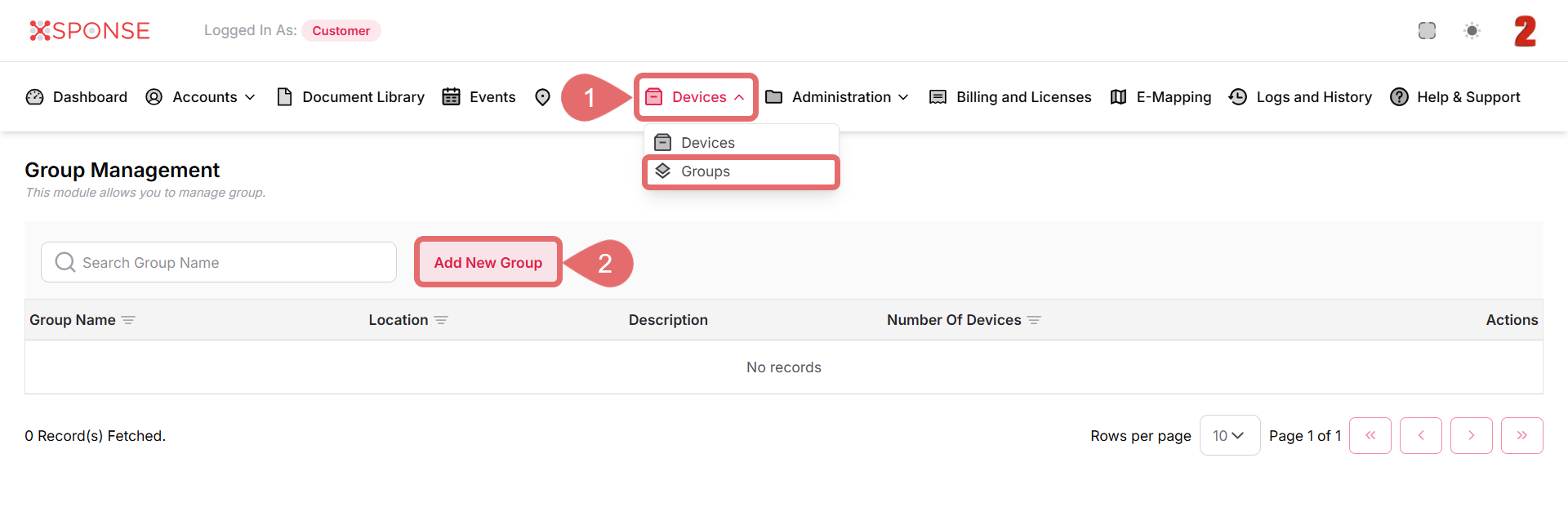
- Go to Devices > Groups in the main menu.
- Click the Add New Group button.
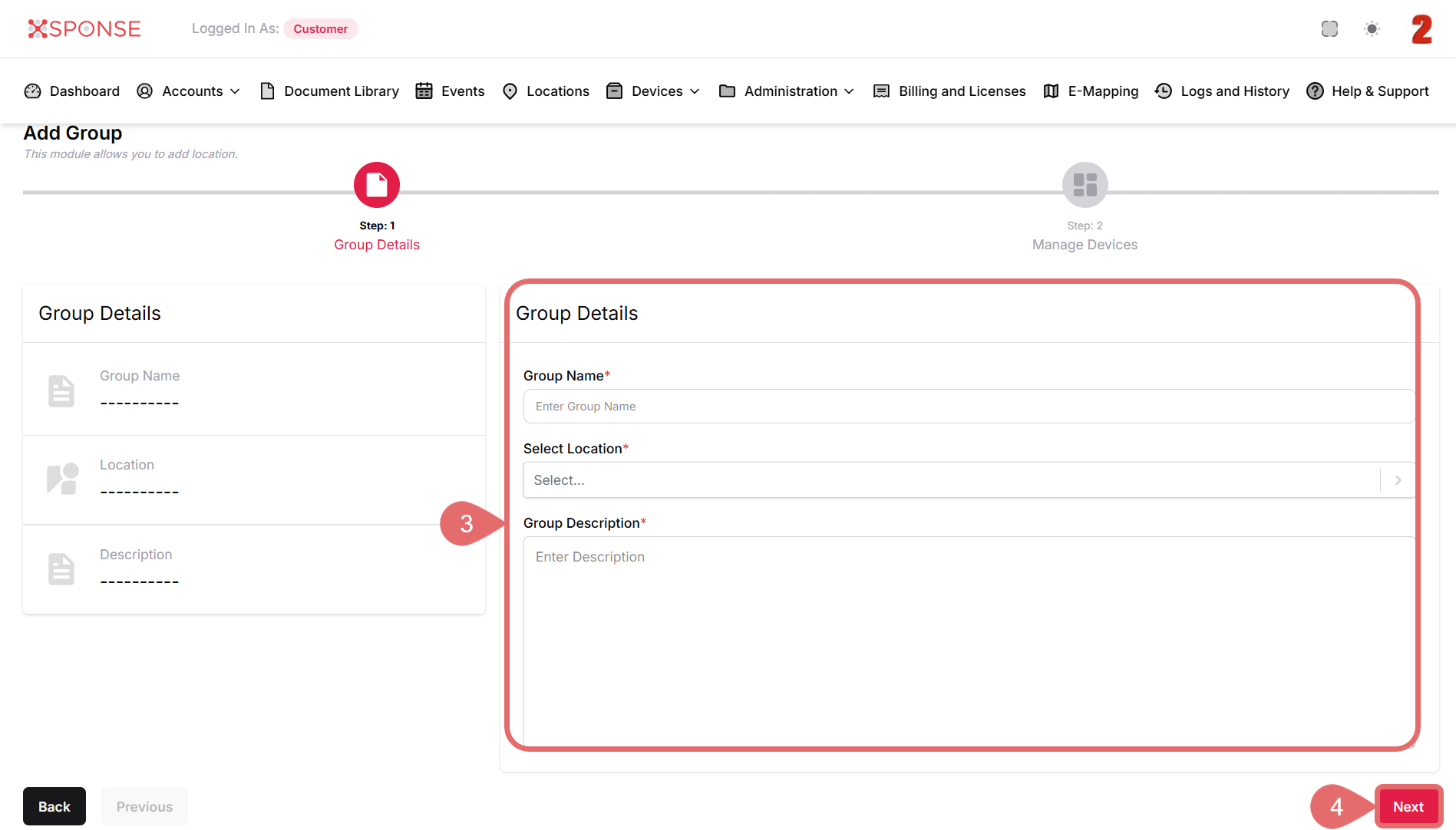
- In the Group Details screen, enter the following information:
- Group Name: Enter a descriptive name for the group.
- Select Location: Choose the location from the dropdown list.
- Group Description: Provide a description for reference.
- Click Next to continue.
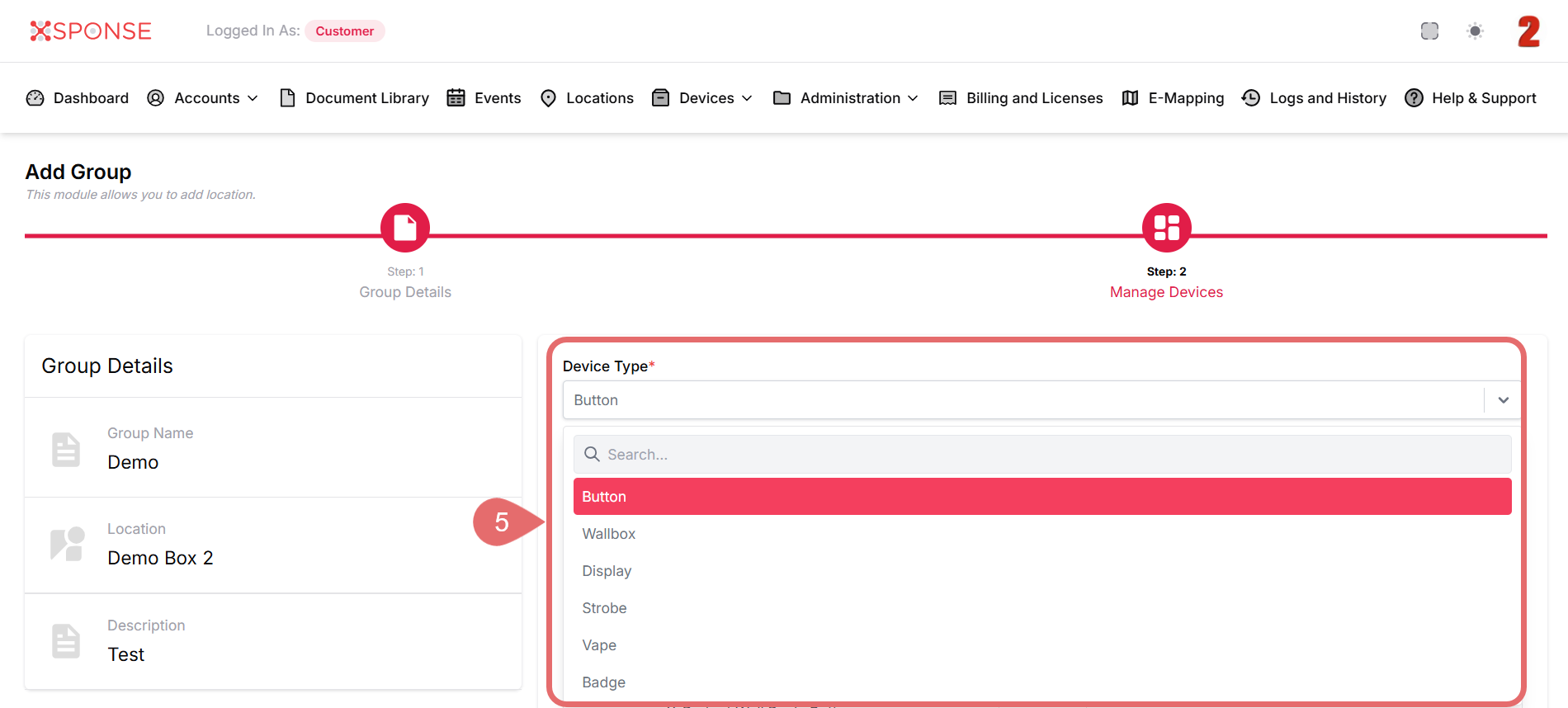
- In the Manage Devices step, select the Device Type from the dropdown to filter the available devices.
- Button
- wallbox
- Display
- Strobe
- Vape
- Badge
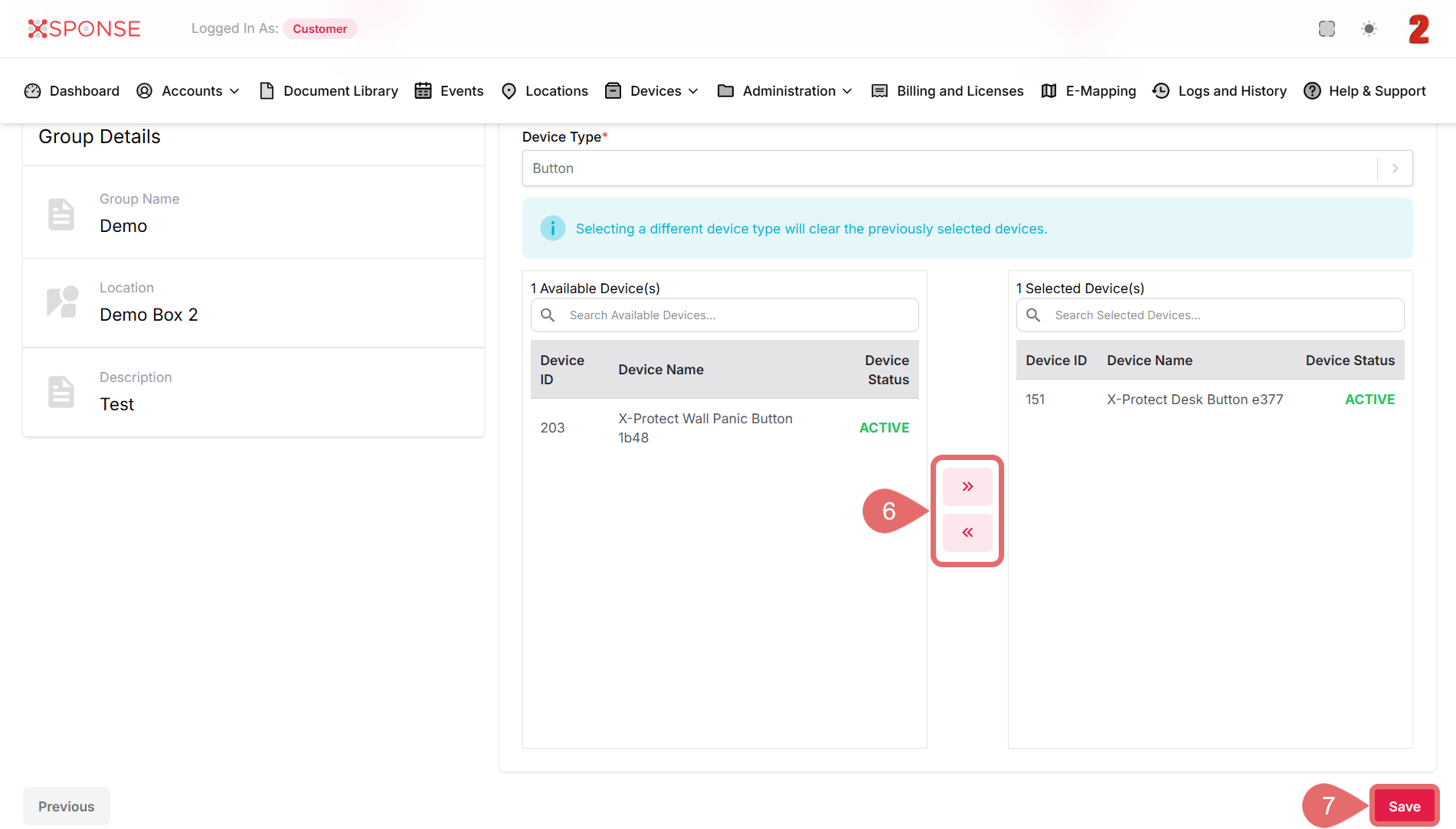
- Use the arrow buttons to assign devices to the group.
- Click Save to complete group creation.
Managing Groups
Once created, groups appear in the Group Management screen. You can edit or delete them as needed to keep your device structure up to date.
See Also
To complement your knowledge of this process, check the following pages: