Identify a Device in the Platform
In the Devices module, you can easily identify a physical device from the platform interface. This is useful when you need to confirm the location or identity of a specific unit within your infrastructure.
To Identify a Device
- Go to Devices > Devices in the main menu.
- Select the Devices tab.
- Use the search bar or filters to locate the device you want to identify or you can also scroll through the list to locate it manually.
- In the Actions column, click the Identify Device icon.
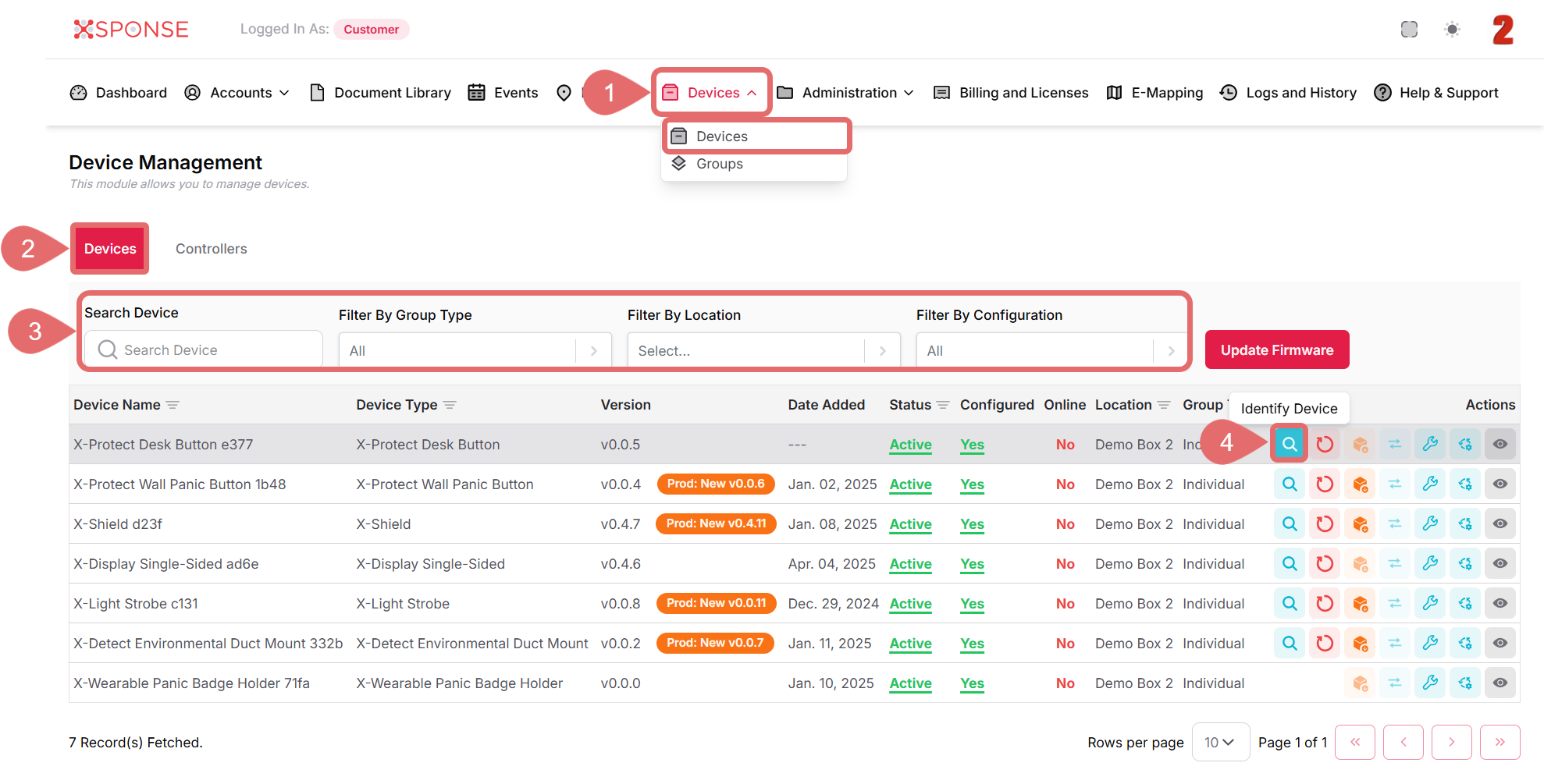
This action will trigger a signal or physical identifier on the device to help you locate it.
The platform will send a command to the device to initiate the identification process, making it easier to locate it physically.
Tip
Identification behavior may vary depending on the device model—some may flash lights, emit sound, or vibrate.
See Also
To complement your knowledge of this process, check the following pages: