Restart Controller Services
This action allows you to restart the internal services of a controller without rebooting the entire hardware. It's useful for resolving transient connectivity or performance issues.
What happens during a restart?
Restarting services will momentarily interrupt the controller's communication, but no configurations or data will be lost.
To Restart Controller Services
Before you restart services
Ensure the controller is not actively processing critical tasks to avoid service interruptions.
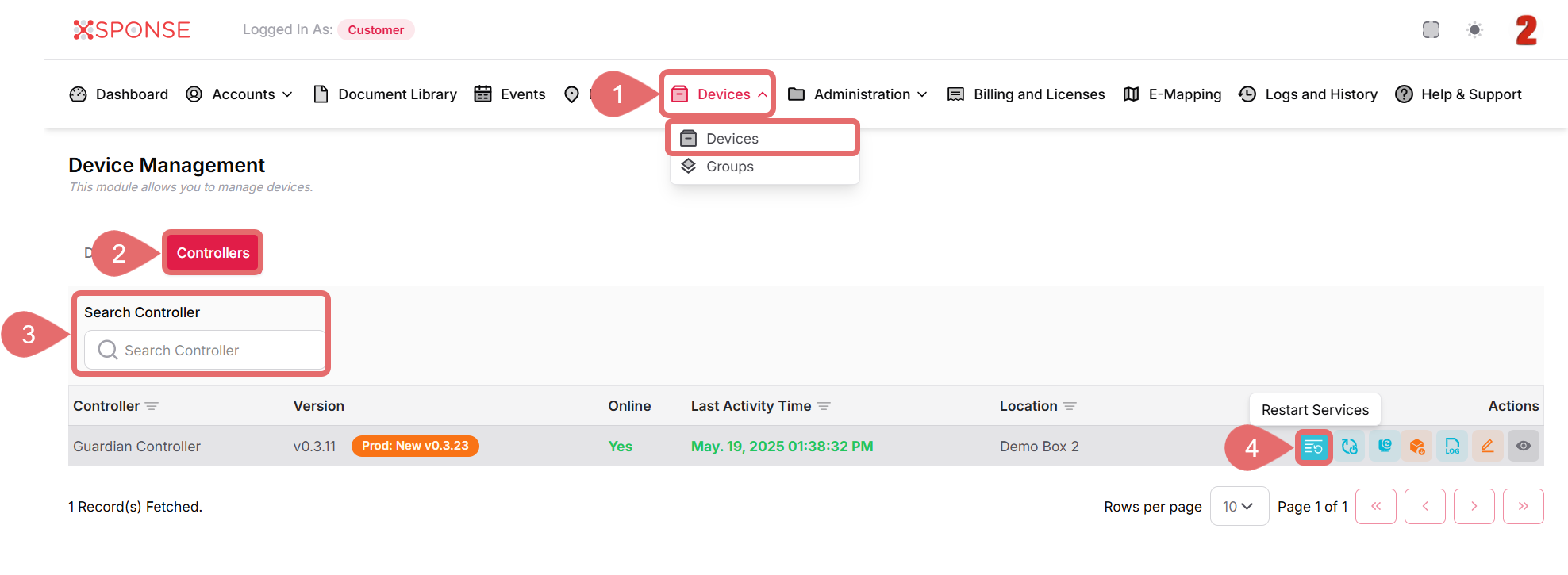
- Go to Devices > Devices in the main menu.
- Select the Controllers tab.
- Locate the controller in the list using the search bar or you can also scroll through the list to locate it manually.
- In the Actions column, click the Restart Services icon.
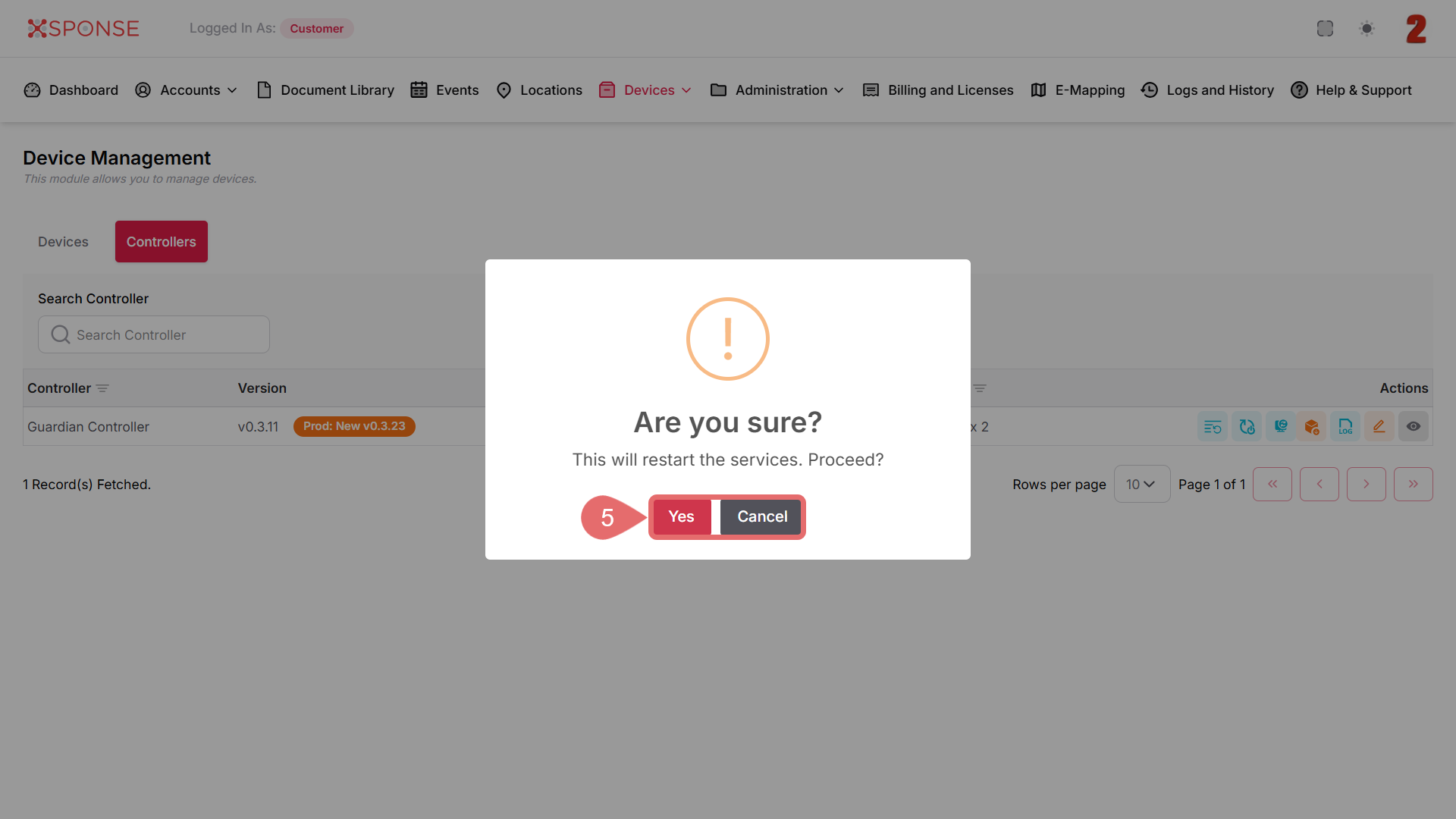
- A confirmation dialog will appear. Click Yes to proceed or Cancel to stop the action.
Why is this important?
Restarting controller services can help recover from minor software glitches, restore network communication, and avoid the need for a full reboot. It’s a faster, less disruptive way to restore normal operation when the controller is unresponsive or behaving unexpectedly.
See Also
To complement your knowledge of this process, check the following pages: