Manage Devices
In the E-Mapping module, you can monitor and interact with devices directly on the map interface. This feature is commonly used to quickly identify the real-time location and status of devices, perform edits, and verify proper placement in a given area.
To Manage Devices on the Map
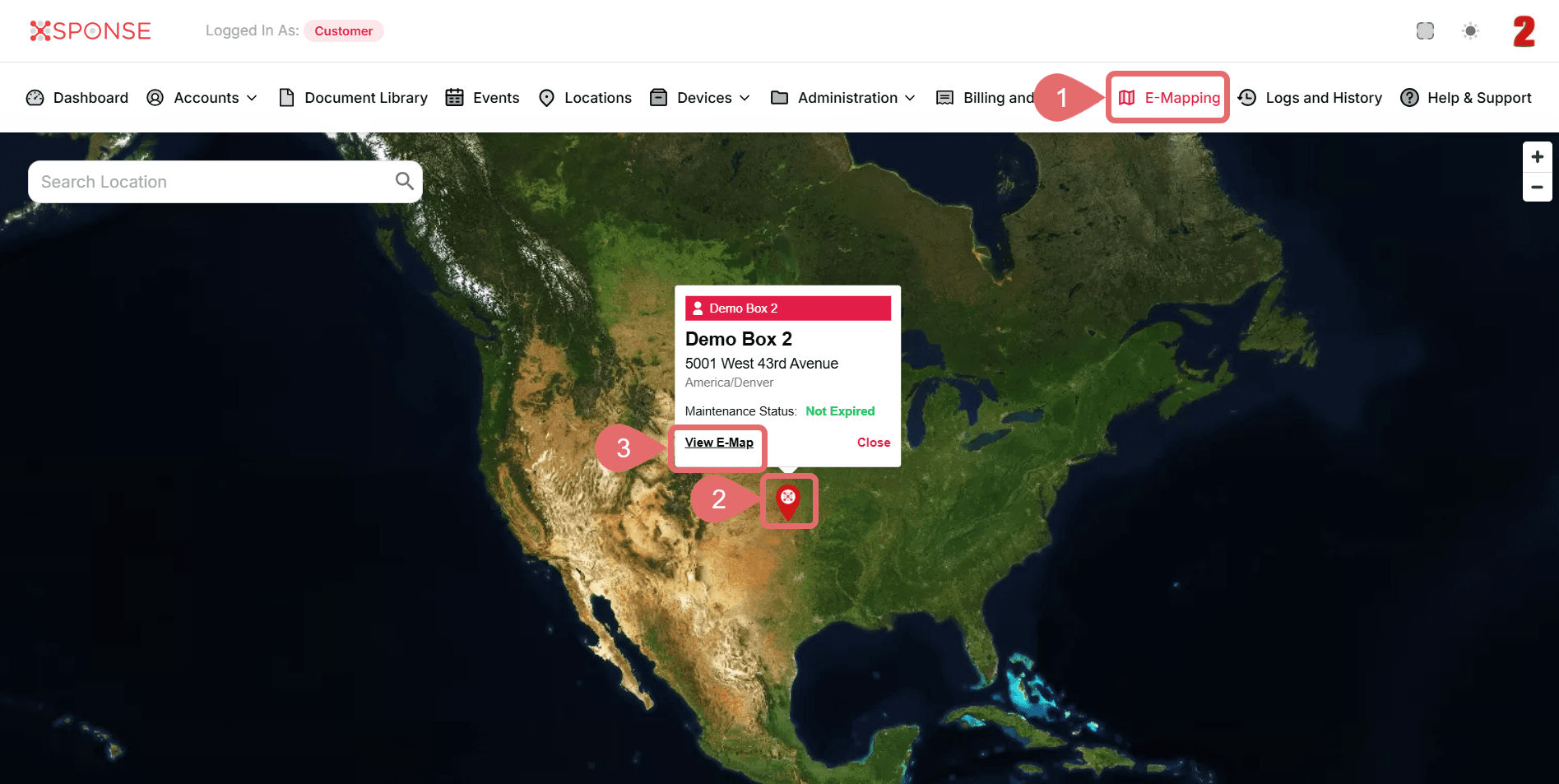
- Go to E-Mapping in the main menu.
- Select Marker.
- Click View E-Map.
- In the map view, click the Devices option in the top bar.
- In the pop-up window, choose between:
- Devices on the Map: To view devices already placed.
- Devices not on the Map: To locate and assign new devices.
- To filter devices by type, click the All Device Type dropdown and select a category, such as:
- Badge
- Button
- Display
- Strobe
- Vape
- Wallbox
- Shield
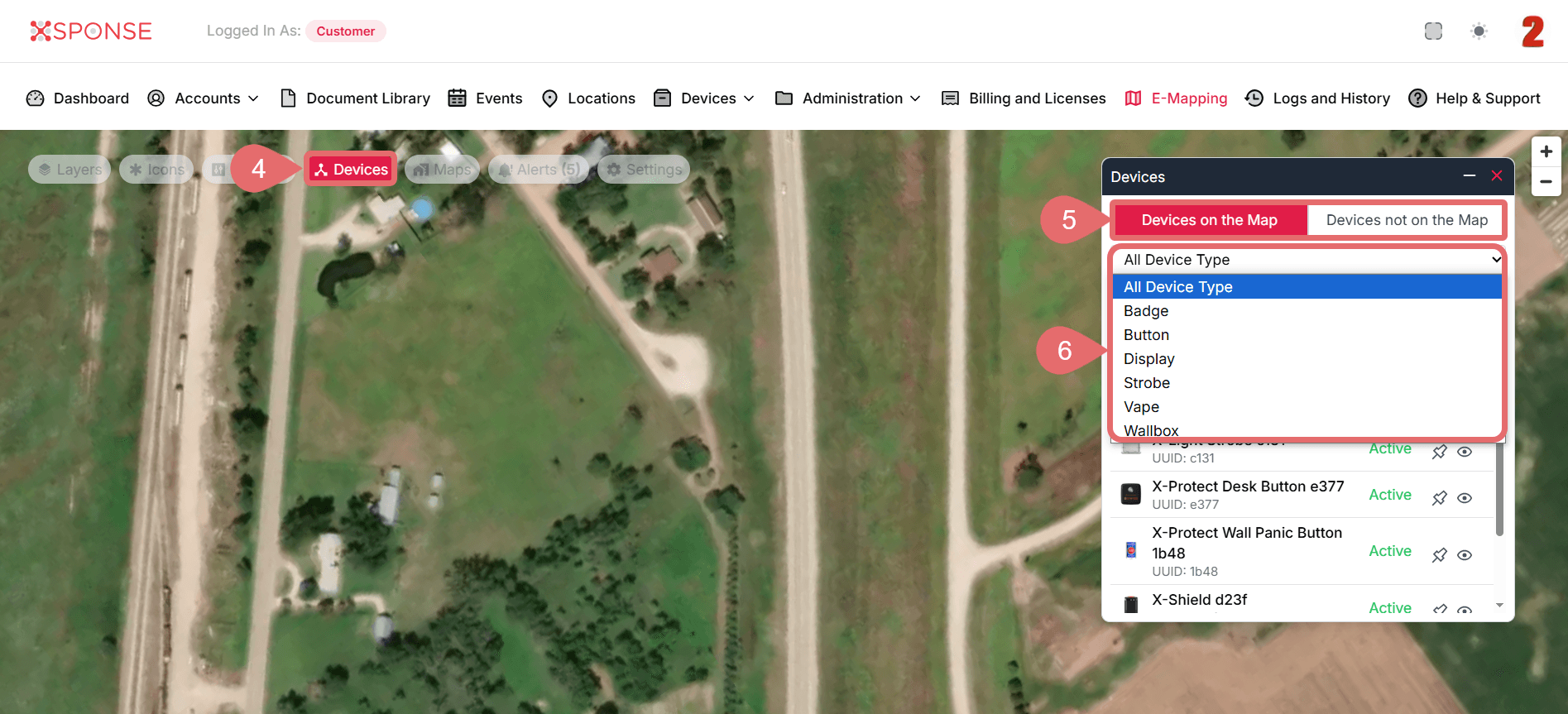
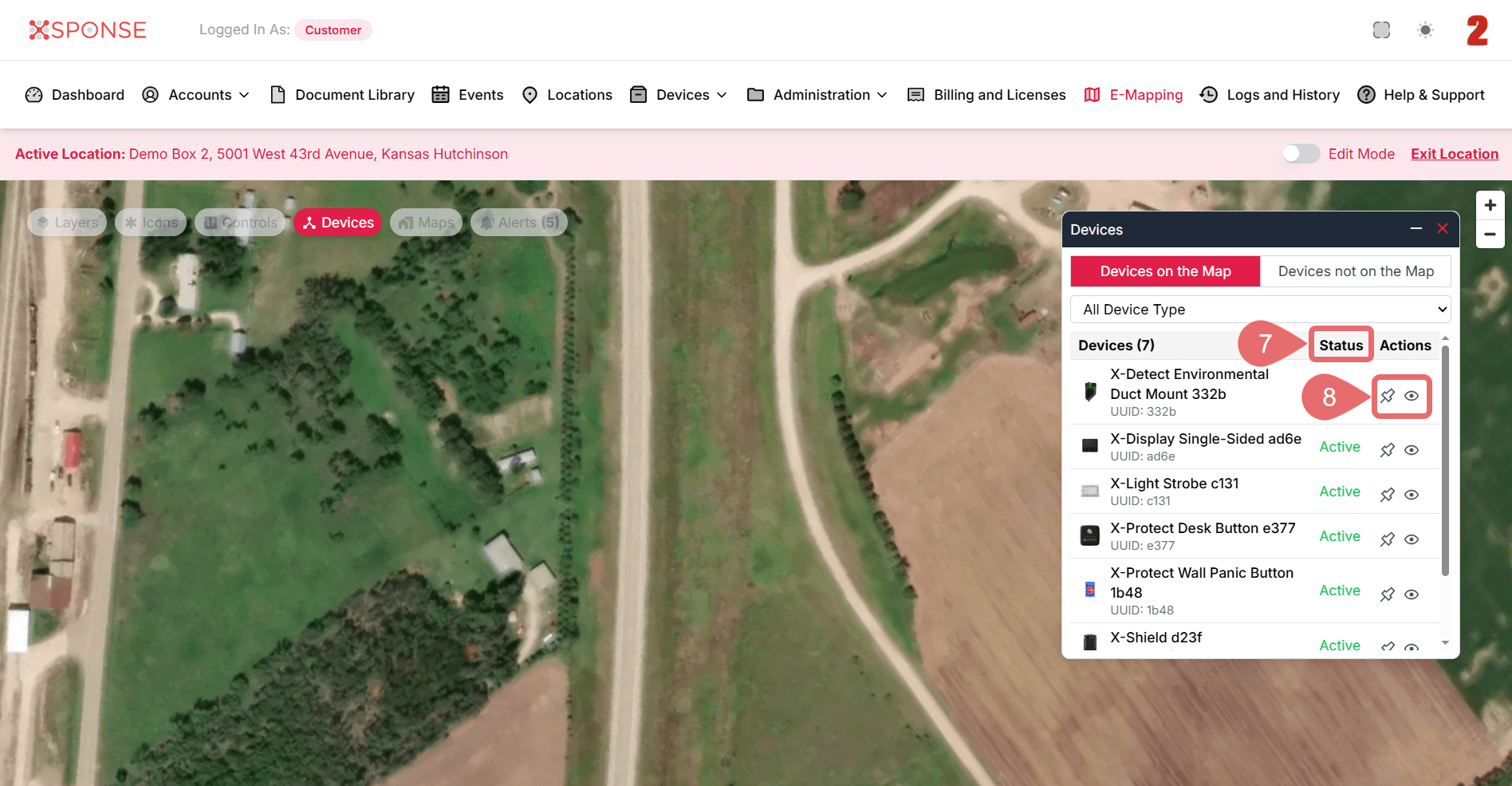
- The device list will automatically update. You can check the status of each device in the Status column.
- Click View Device Info to see detailed information or Attach to Map to place the device on the map if it is not yet visible.
See Also
To complement your knowledge of this process, check the following pages: