Edit an Event
You can edit an existing event in Xsponse to change its schedule, command, trigger, or other configurations.
To Edit an Event
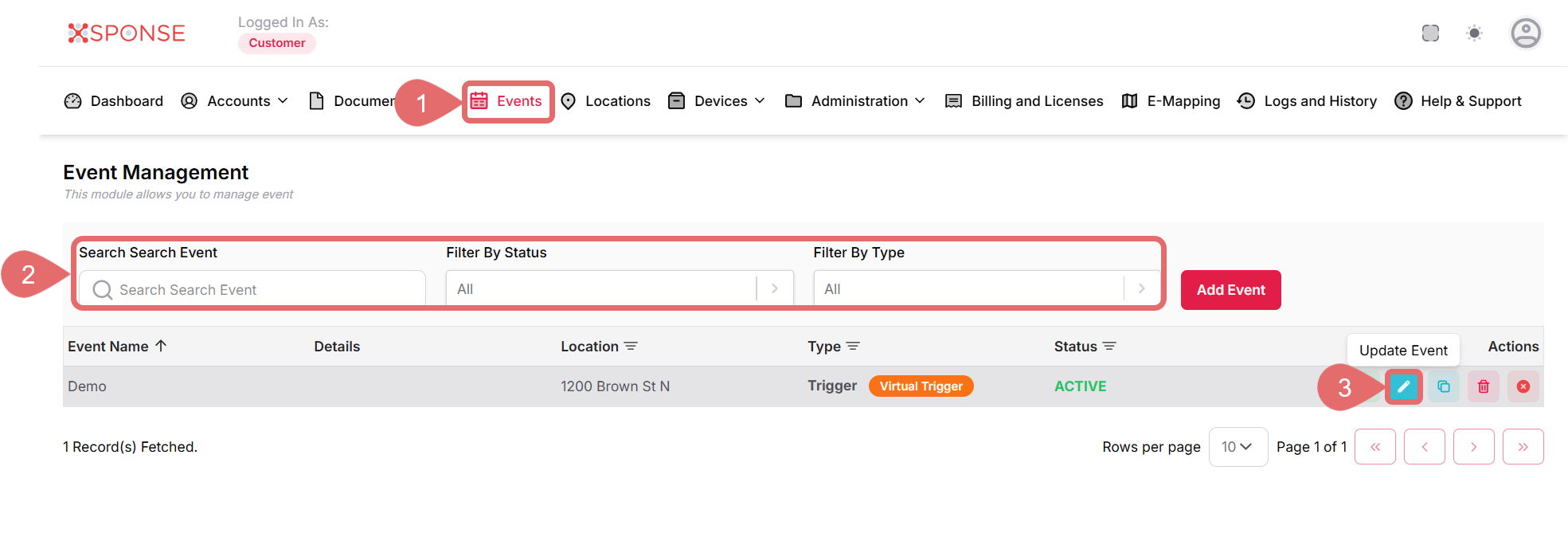
- Go to Events in the main menu.
- Use the search bar or filters to locate the event you want to Update or locate it manually in the list.
- Click the Update Event icon in the Actions column.
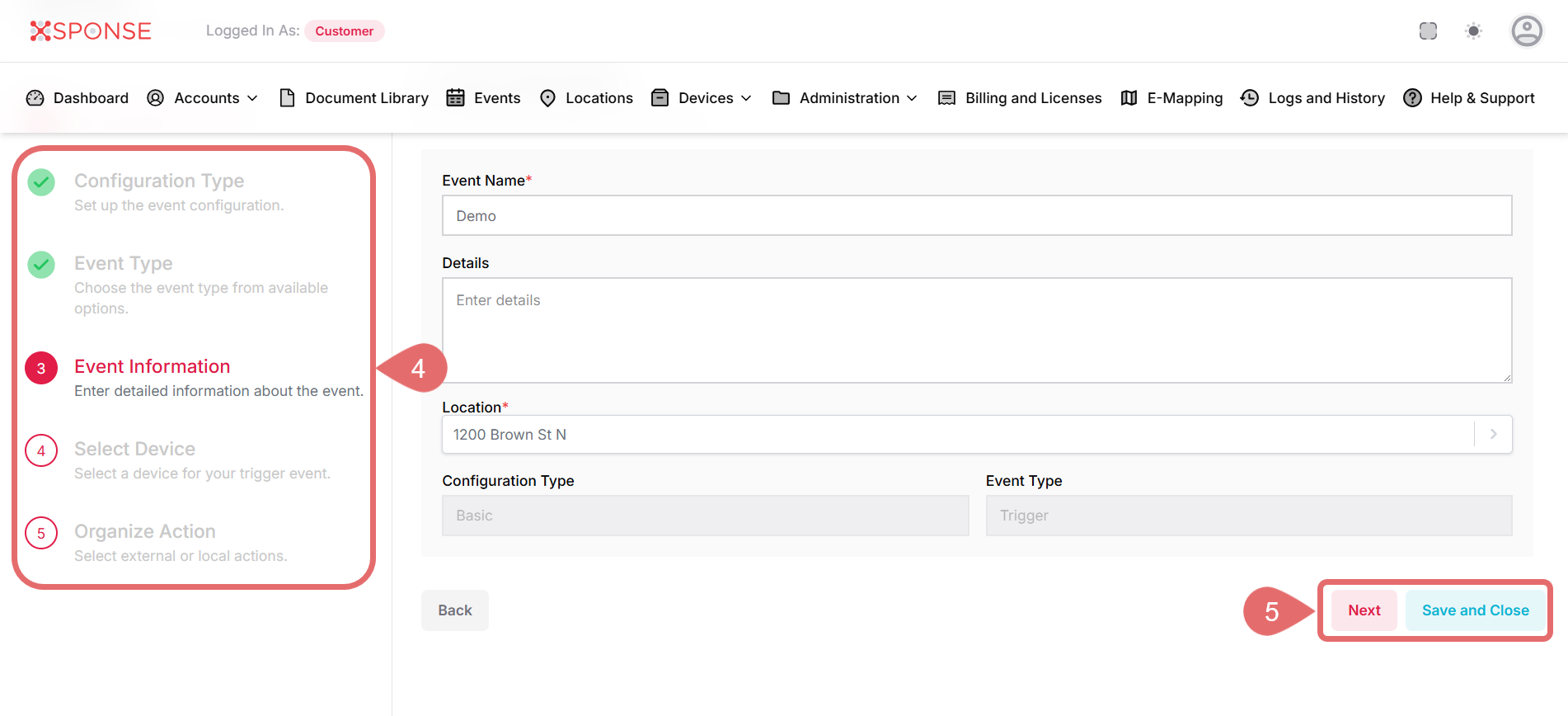
- Make the necessary changes to the event. For field-level details, see Add a Basic Event.
- Click Next to continue editing additional fields, or Save and Close to apply your changes.
See Also
To complement your knowledge of this process, check the following pages: