Delete a Playlist
If a playlist is no longer needed, you can easily delete it to keep your workspace clean and organized. Deleted playlists are permanently removed and cannot be recovered, so make sure you really want to delete them before confirming.
To Delete a Playlist
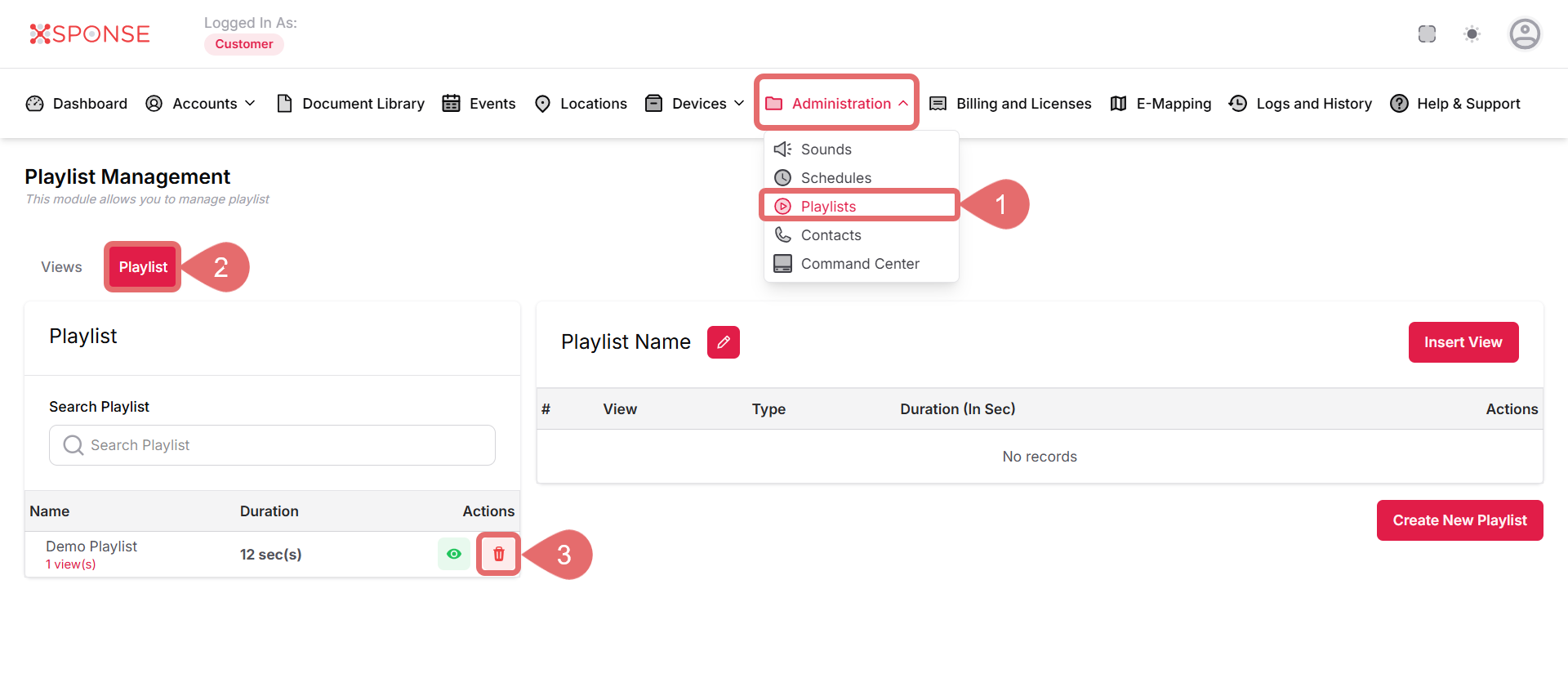
- Go to Administration > Playlists.
- Select the Playlist tab.
- Click Delete Playlist.
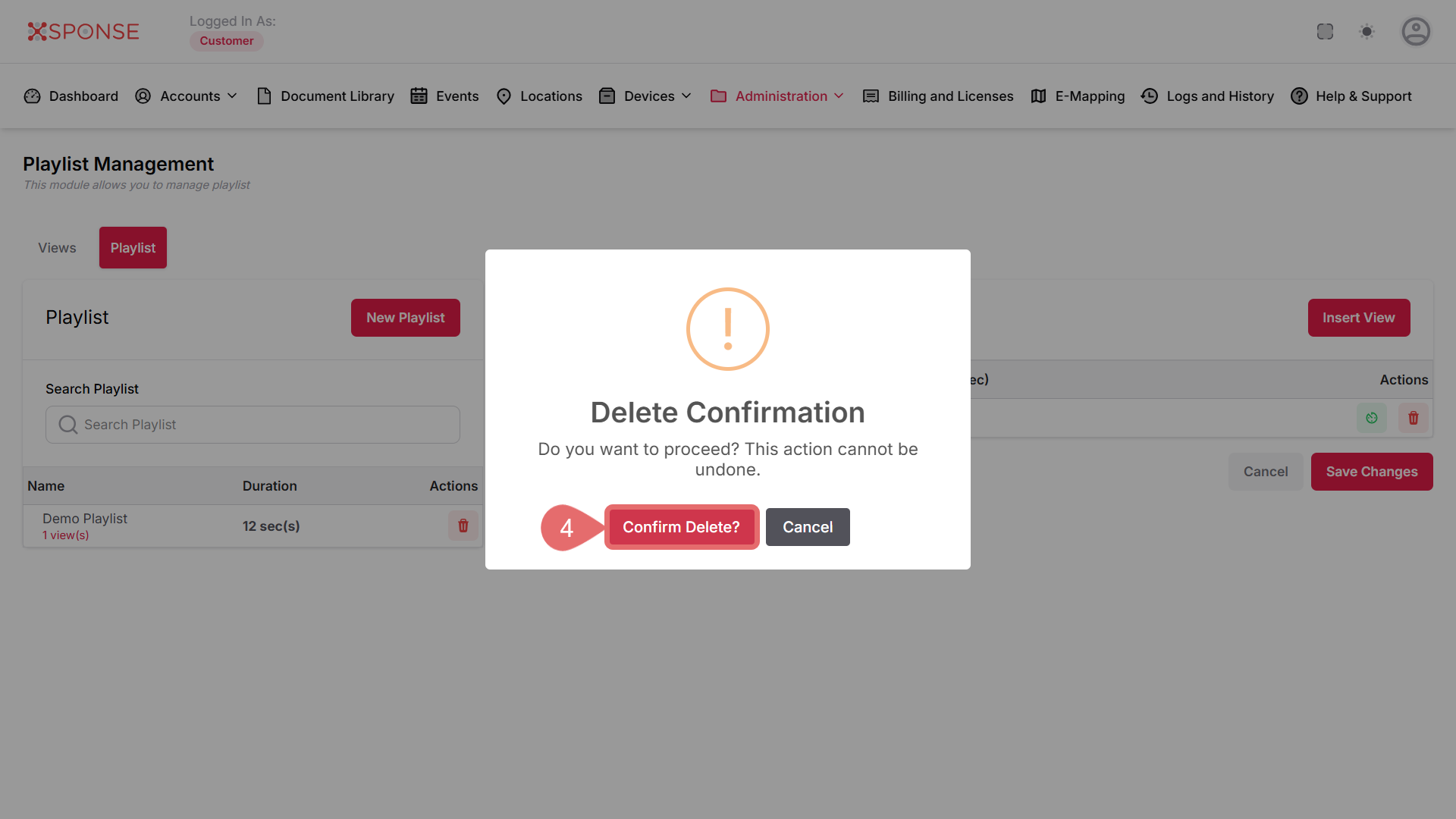
- Click Confirm Delete? again to permanently remove the playlist.
See Also
To complement your knowledge of this process, check the following pages: