Remove a Mobile Profile
In the Accounts module, you can remove a mobile profile when it is no longer needed or is not assigned to any users. Deleting a profile helps keep your account organized and avoids confusion with outdated or unused configurations.
To Remove a Mobile Profile
Before You Remove a Profile
Make sure the profile is not currently assigned to any users. Removing an active profile may affect their access or functionality in the mobile app.
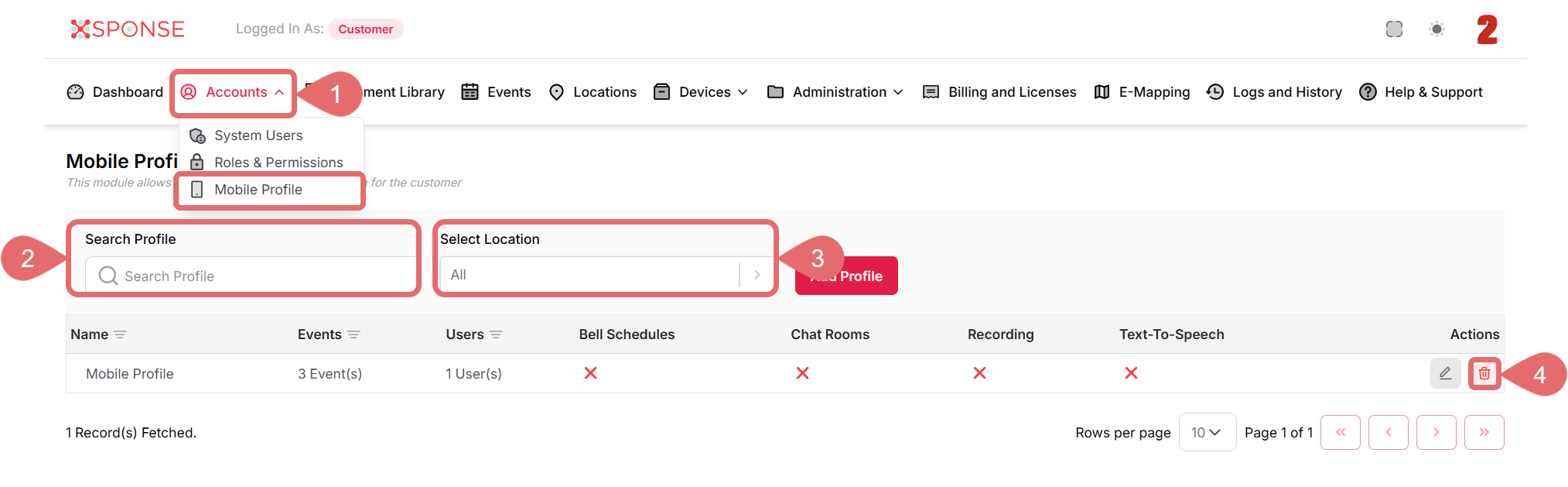
- Go to Accounts > Mobile Profile.
- Use the Search Profile bar to find the profile you want to remove or you can also scroll through the list to locate it manually.
- (Optional): Use the Select Location dropdown to filter profiles by location.
- In the Actions column, click the Remove Profile icon.
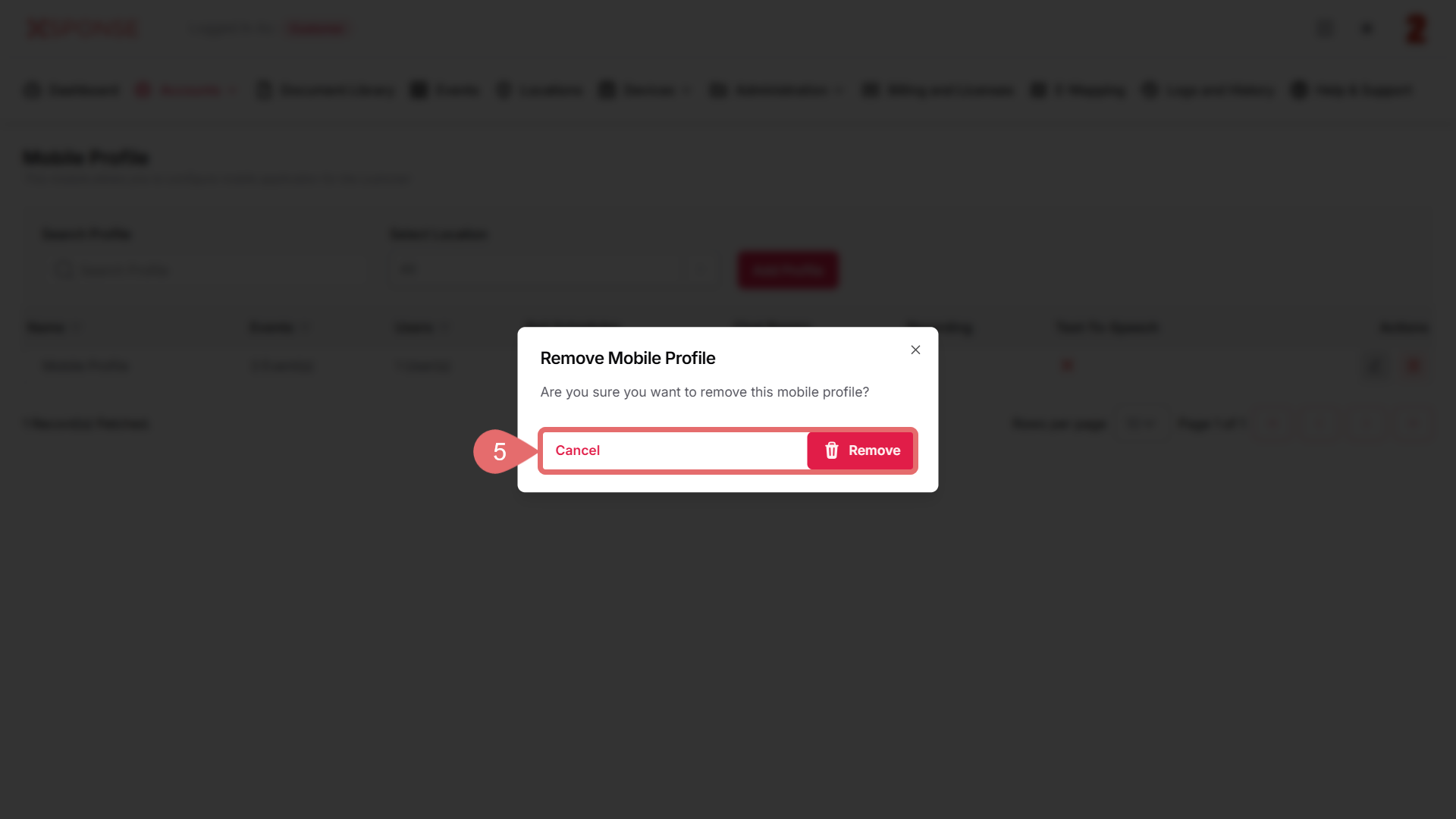
- Click Remove to permanently delete the profile, or Cancel to discard the action.
What Happens After Deletion?
Once a mobile profile is deleted, it is permanently removed from the system and can no longer be assigned to users or recovered.
See Also
To complement your knowledge of this process, check the following pages: