Import Contacts from a File
In the Administrator module, you can efficiently import a list of contacts from a CSV file. This feature is ideal for bulk uploads of contacts, saving you time and ensuring accuracy in your contact records.
To Import Contacts from a File
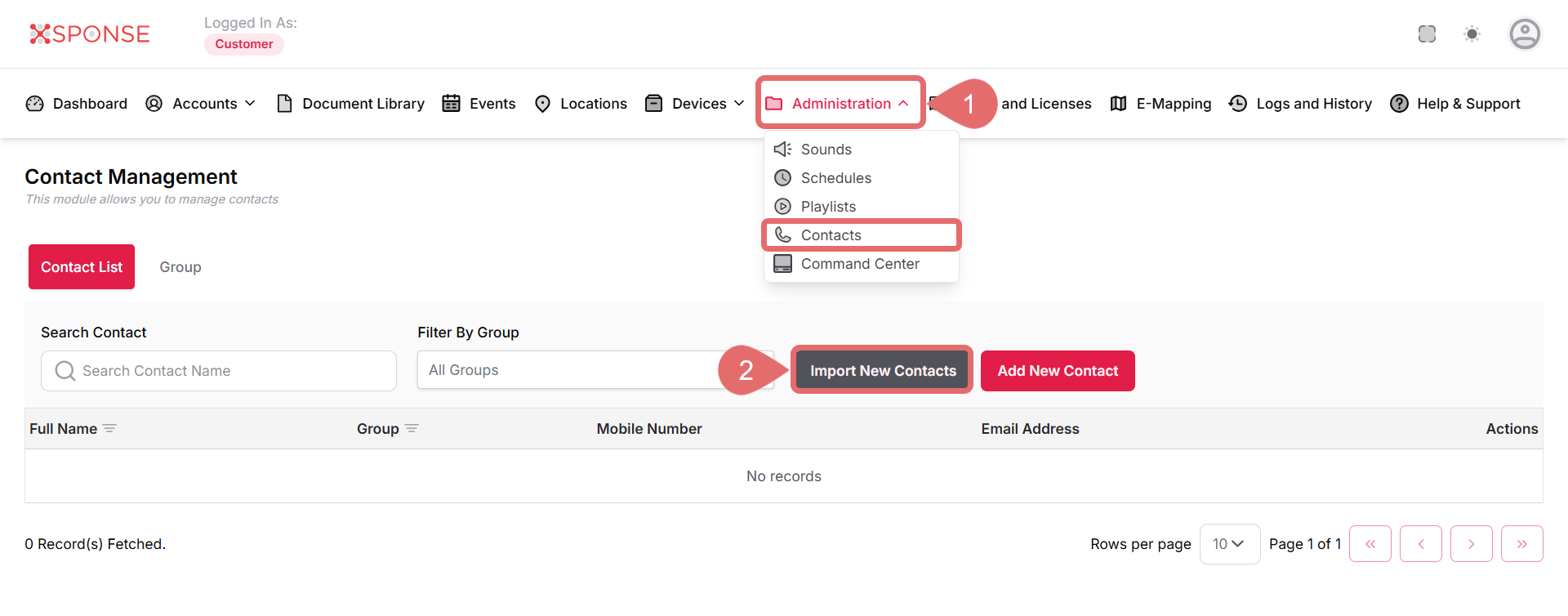
- Go to Administration > Contacts.
- Click Import New Contact.
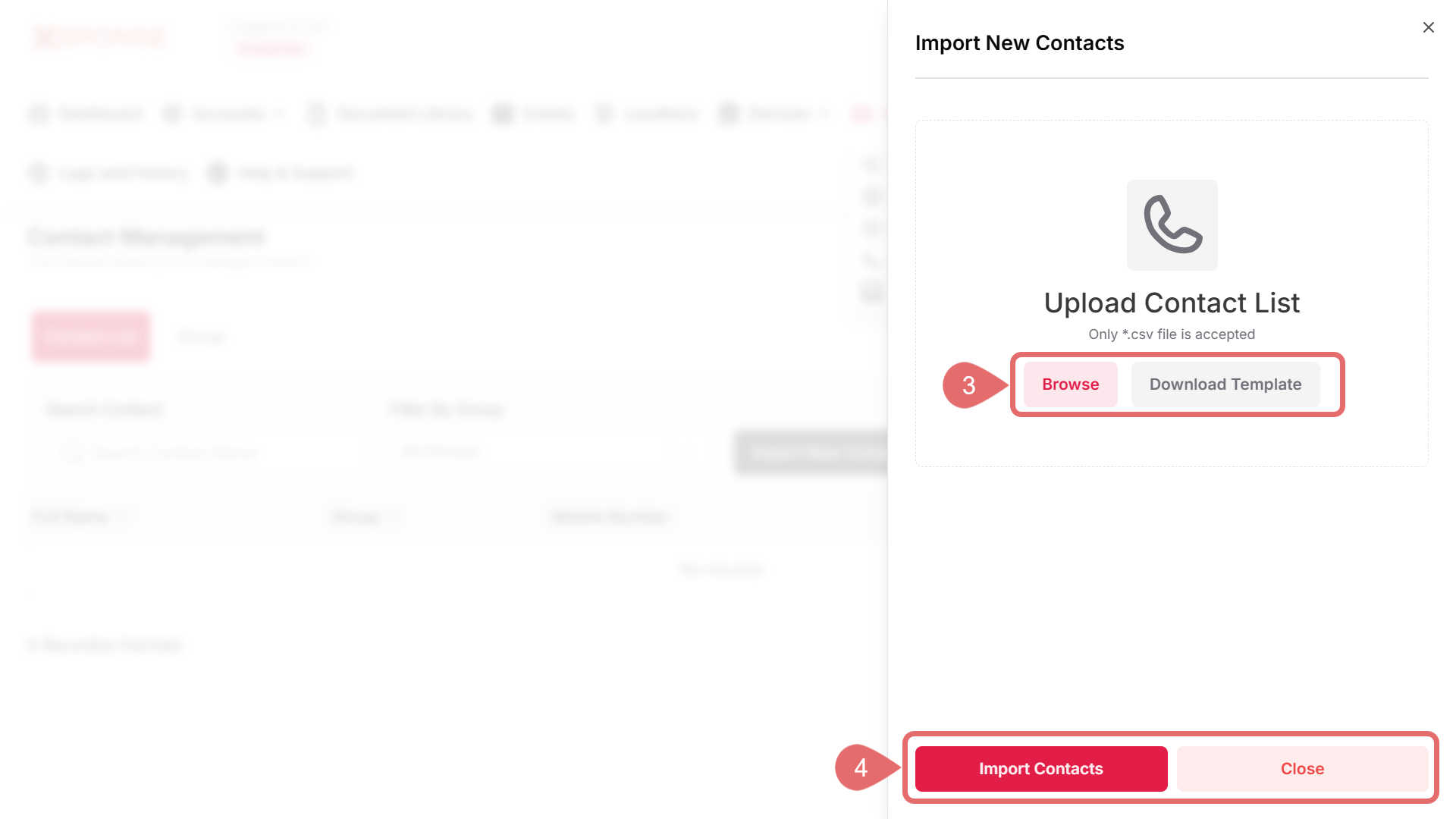
- Upload Contact List:
- Browse: Click this button to select the CSV file containing your contacts.
File TypeOnly .csv files are accepted.
- Download Template: If you need a standard format for the CSV, click this option to download a template file.
- Browse: Click this button to select the CSV file containing your contacts.
- After selecting your CSV file, click Import Contacts to proceed with the import., or Close to discard the changes.
Important Considerations
- Ensure that the CSV file follows the required format to avoid errors during the import process.
- Review the contact details post-import to confirm accuracy.
See Also
To complement your knowledge of this process, check the following pages: